ENTREGAMOS EN 4/5 DÍAS HÁBILES LUEGO DE CONFIRMAR
-
ENTREGAMOS EN 4/5 DÍAS HÁBILES LUEGO DE CONFIRMAR

- Tecnología
- Electro y Hogar
- Deportes y Aire libre
- Comercios
- Salud y Belleza
- Bebes y Niños
- Seguridad y Vigilancia
- Contacto
Los precios rebajados son UNICAMENTE por pago Efectivo o Transferencia Bancaria Descartar
Skip to contentENTREGAMOS EN 4/5 DÍAS HÁBILES LUEGO DE CONFIRMAR
ENTREGAMOS EN 4/5 DÍAS HÁBILES LUEGO DE CONFIRMAR
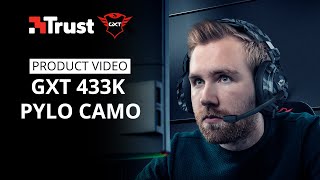
To connect your 3.5 mm gaming headset including microphone just plug the 1m nylon braided cable into your game controller or extend the cable easily with the 1m extension cable for use with your PC and experience ultimate in-game sounds. If you’re still having questions about setting up the microphone on your PS4, Xbox or PC, please contact us via https://www.trust.com/en/support/contact
This instruction video applies to all our gaming headsets with 3.5mm jack connector type, such as the GXT 420 Rath Multiplatform Gaming Headset, GXT 455 Torus RGB Gaming Headset, GXT 430 Ironn Gaming Headset, GXT 322 Carus Gaming Headset – black, GXT 322B Carus Gaming Headset for PS4, GXT 322C Carus Gaming Headset – jungle camo, GXT 322W Carus Gaming Headset – snow camo, GXT 322D Carus Gaming Headset – desert camo, GXT 310 Radius Gaming Headset, GXT 310P Radius Gaming Headset – pink, GXT 310C Radius Gaming Headset – jungle camo, GXT 310D Radius Gaming Headset – desert camo, GXT 307 Ravu Gaming Headset, GXT 307B Ravu Gaming Headset for PS4 – blue, GXT 313 Nero Illuminated Gaming Headset, GXT 408 Cobra Multiplatform Gaming Earphones and more.
———-
🔥🕹️ BECOME A CHAMPION 🕹️🔥 ➜ http://bit.ly/GXTChamp
Also, turn your notifications on to watch our videos as soon as they are online!
Follow us on social media for more exclusive content and giveaways:
Twitter @TrustGamingGXT https://twitter.com/trustgaminggxt
Instagram @Trust.Gaming https://www.instagram.com/trust.gaming
Facebook Trust Gaming https://www.facebook.com/trustgaming
ABOUT #TRUSTGAMING:
We have developed a product range that will grow with you as you progress through the ranks. From basic, affordable items for everybody who wants to start playing their first games, up to specifically designed pro gear that will allow you to compete with the best of the best. This philosophy is what we call #buildingchampions. Visit www.trustgaming.com to view our products.